To have this change first login to Ubuntu. Then open the terminal and issue the following command
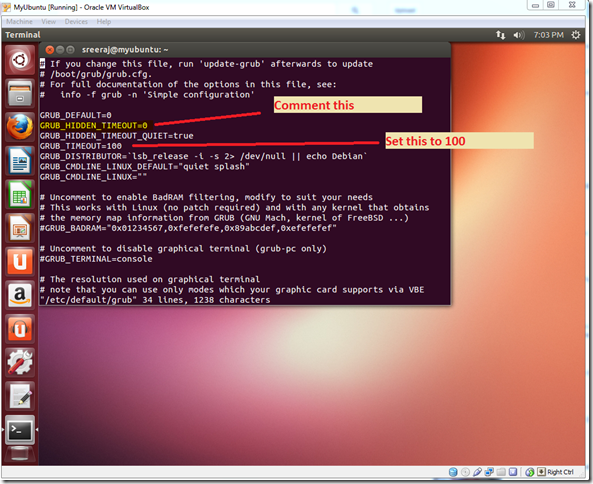
sudo vi /etc/default/grubThen comment the entry “GRUB_HIDDEN_TIMEOUT=0” as shown below. And let us set the value of “GRUB_TIMEOUT” to 100 (meaning 100 seconds).

After that run the following command
sudo update-grubNow restart the system. you can see something like the one shown below
One of the other method is to simply Press and Hold down the right SHIFT key while the system is booting.

No comments:
Post a Comment